Connect once.
Keep looking up.
Pair with the native companion. Set up Wi-Fi so the instrument can download aircraft and maps directly.

AIRSCOPE COMING SOON
The aircraft overhead.
The stories behind them.
All in one beautiful little circle.
01 / RADAR
See the aircraft around your chosen location. Range rings and a compass make it easy to know what’s overhead—and how close it is.
A viewing radius from 1 to 50 nautical miles.02 / MAP
Land, water and roads bring the radar down to earth. See where each aircraft is flying, with a map that fills the circular display.
Maps arrive directly over the instrument’s Wi-Fi.03 / NEARBY
Browse nearby aircraft by callsign, type and distance. Choose a flight to go from a passing dot to a closer look.
Aircraft observations from community ADS-B coverage.04 / FLIGHT DETAILS
Explore aircraft identity, altitude, speed and heading. When a route is available, see where it came from and where it’s going.
Real observations. Route details when reported.05 / FLIGHT TIMES
See scheduled, estimated and actual flight times together. AirScope shows the times available from its sources, with each kind clearly labeled.
Availability varies by flight and supported airport.06 / AIRCRAFT IN 3D
Get closer to the aircraft with a model you can turn on the touchscreen. Explore its shape while speed, heading and altitude stay in view.
Aircraft models matched to supported types.07 / AIRPORTS
Type an airport code right on AirScope. Set your viewing location from the circular keyboard, then explore the aircraft around it.
Choose your location on the instrument or in the app.08 / MAKE IT YOURS
Adjust range and brightness on the display. Choose your colors, labels and map, or use the iPhone, iPad and Mac companion for control and signed software updates.
One paired device. Everything in one place.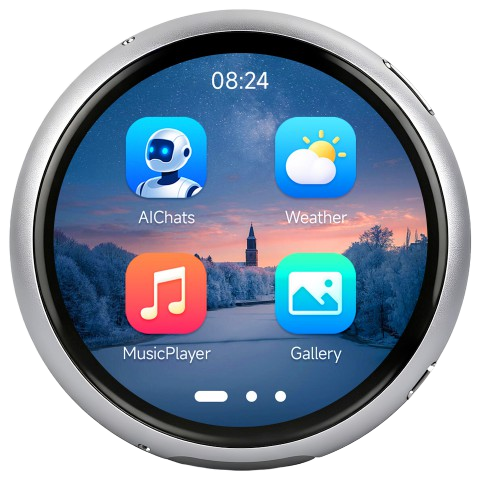
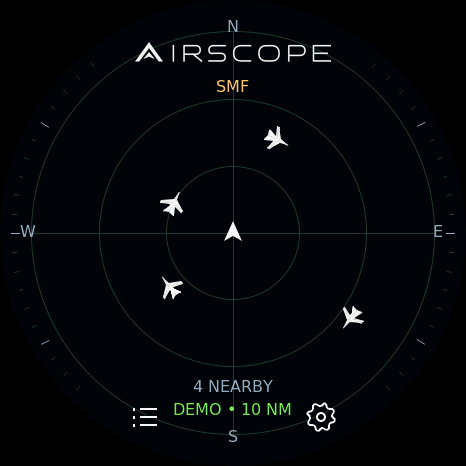
Actual display interface · Sample aircraft
DESIGNED TO BE A LITTLE DIFFERENT
A circular AMOLED touchscreen.
A CNC-machined aluminum body.
A small window into a much bigger world.
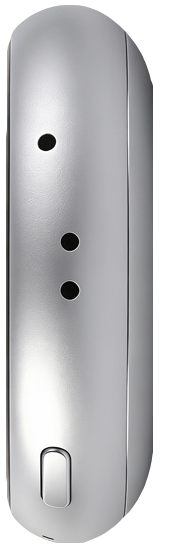
A compact aluminum circle.
A crisp, full-color AMOLED display.
Choose a flight, turn a model, or type an airport code. The instrument puts its controls right at your fingertips.
AirScope is in development for the Waveshare ESP32-S3-Touch-AMOLED-1.75C. Hardware views use manufacturer imagery with AirScope screen previews.
PART OF YOUR EVERYDAY SPACE
Pair with the native companion. Set up Wi-Fi so the instrument can download aircraft and maps directly.
iPhone, iPad and Mac controls for one device. Manage its view, viewing location, Wi-Fi and software in one place.
Check for signed display updates from AirScope. Choose when to install, with the release feed handled automatically.
COMING SOON
AirScope is taking shape.
Pricing and availability will be announced here.